Template Preview
See what your editable files look like before you download.
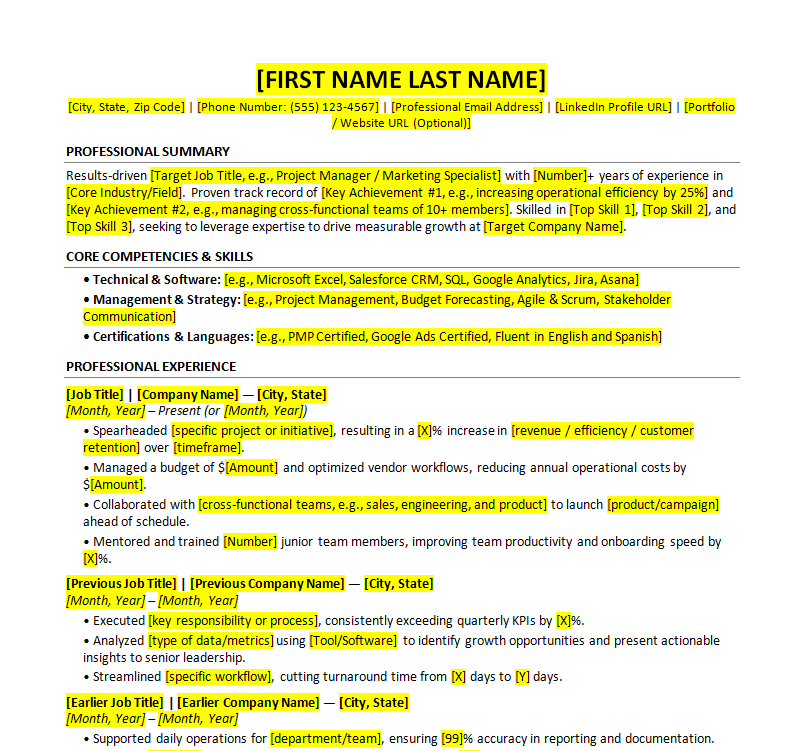
ATS-Compliant Single-Column Resume Layout
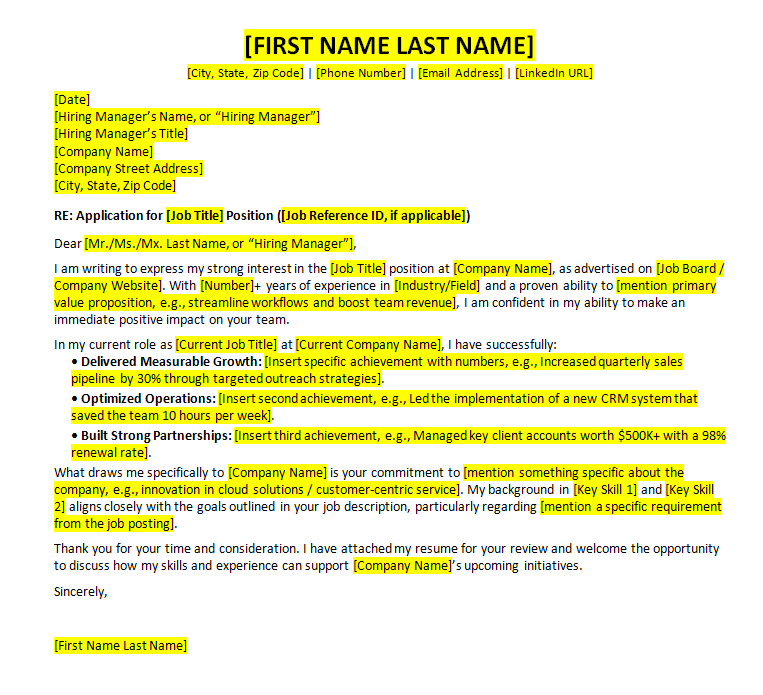
Matching Cover Letter & Professional Reference Page
Home › Resume Templates › ATS-Friendly Resume Bundle
Get past automated Applicant Tracking Systems (ATS) and land more interviews. Designed with a clean, single-column structure approved by US recruiters—zero broken tables, graphics, or unreadable columns.
$9.00 USD
One-time purchase • Lifetime access
Buy & Download Now — $9Secure checkout via PayPal or Credit/Debit Card. Instant file delivery after payment.
See what your editable files look like before you download.
ATS-Compliant Single-Column Resume Layout
Matching Cover Letter & Professional Reference Page
Three ready-to-use files, delivered instantly as a ZIP archive after checkout.
Clean hierarchy featuring Professional Summary, Core Competencies, quantified Work Experience bullets, and Education.
Cohesive executive header design with fill-in-the-blank paragraphs to pitch your achievements and list 3 professional references.
Step-by-step instructions on formatting, exporting to PDF without breaking text parsing, and matching job description keywords.
Automated hiring software reads left-to-right. Multi-column designs often merge dates and job titles into unreadable text.
Star ratings and infographic charts cannot be parsed by ATS bots, causing qualified candidates to be filtered out automatically.
Hiring managers spend an average of 7 seconds scanning a resume. Standard fonts and clear section headers make your metrics stand out immediately.
Want the full step-by-step breakdown? Read our ATS-friendly resume formatting guide for 2026 — all 6 formatting rules, a comparison table, and a keyword checklist.
Want to Check Your Resume Match Score Before Applying?
Pair your new template with Teal's free AI Resume Builder and job tracker to match keywords directly from any US job posting.
Yes. Simply upload the .docx files to Google Drive and open them with Google Docs—all spacing and fonts remain intact.
We recommend exporting your finished resume as a PDF (File > Save As > PDF) unless the employer's application portal specifically requests a .docx file.
Yes. The template is completely unlocked and flexible—you can easily expand it to two pages if you have 10+ years of experience.
Due to the instant digital nature of downloadable files, sales are final, but we offer a 14-day technical support guarantee if you need any help opening or editing your files.