Template Preview
See what your editable files look like before you download.
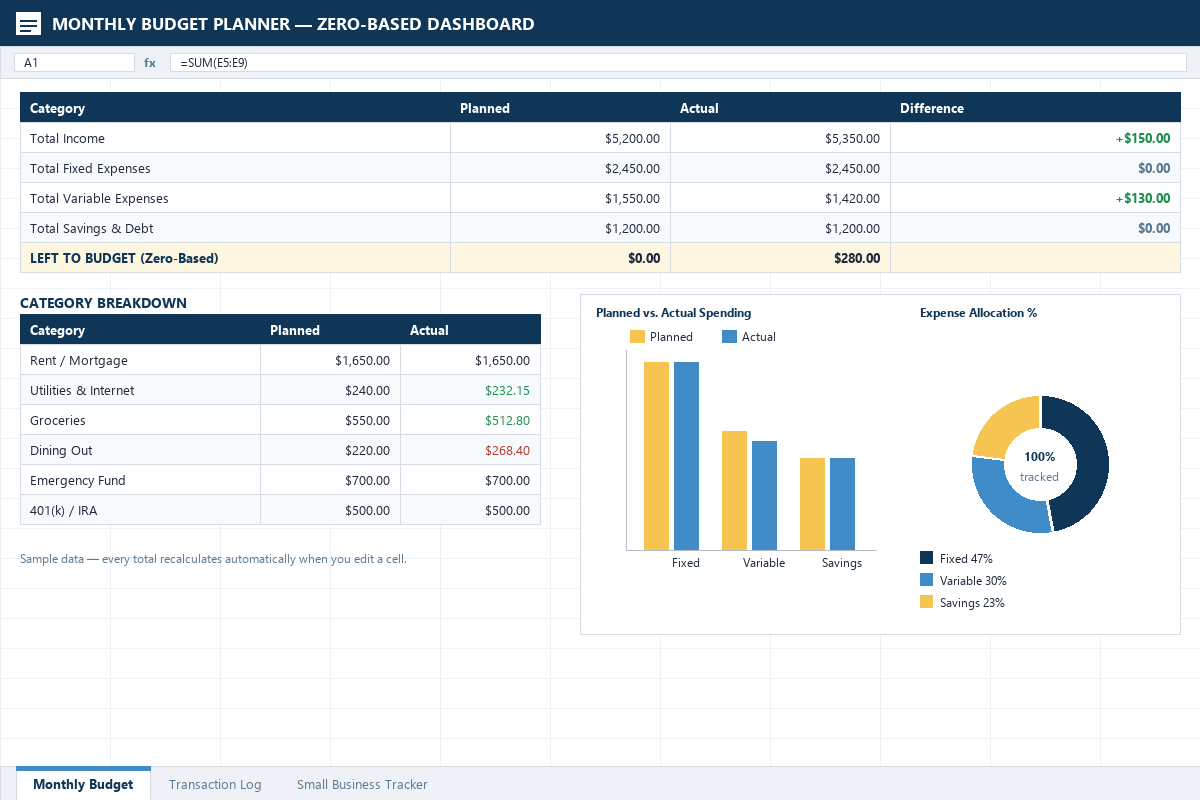
Zero-Based Monthly Budget Dashboard & Charts
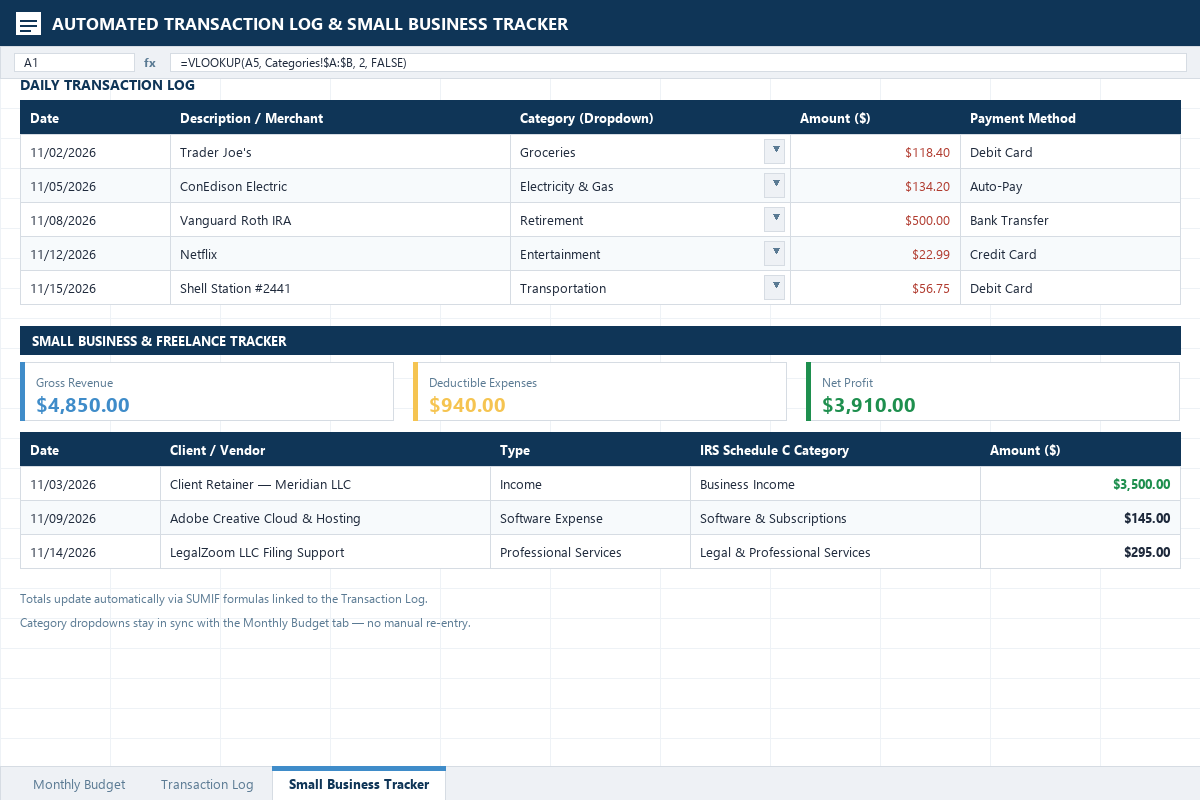
Automated Transaction Log & Small Business Tracker
Home › Budget Spreadsheets › Monthly Budget Planner
Stop guessing where your money goes. Organize your personal cash flow and side-hustle finances in one automated spreadsheet—no complicated accounting software or monthly app subscriptions required.
$12.00 USD
One-time purchase • Unlimited reuse
Buy & Download Now — $12Secure checkout via PayPal or Credit/Debit Card. Instant ZIP file delivery after payment.
See what your editable files look like before you download.
Zero-Based Monthly Budget Dashboard & Charts
Automated Transaction Log & Small Business Tracker
Three ready-to-use tabs, delivered instantly as a ZIP archive after checkout.
Tracks Planned vs. Actual numbers across Income, Fixed Expenses, Variable Spending, and Savings/Debt with auto-updating visual charts.
Log daily purchases using dropdown categories; formulas automatically calculate your real-time totals on the main dashboard.
Dedicated tab for sole proprietors and LLCs to separate business revenue and tax-deductible expenses.
New to the method? Read the full walkthrough: Zero-Based Budgeting in Google Sheets & Excel — Step-by-Step Guide (2026).
Ready to Automate Invoicing & Accounting for Your Growing Business?
When your business outgrows spreadsheets, save hours every week with cloud accounting built for small business owners.
No! You receive both a native .xlsx file for Excel and a direct 1-click copy link for free Google Sheets.
Yes. Simply duplicate the master file at the start of each new month—all formulas and dropdowns are ready for unlimited reuse.
All sheets are unlocked so you can customize category names freely, while our PDF guide shows you which formula cells to leave untouched.
Yes. Both Excel and Google Sheets work smoothly across Windows, macOS, iPad, and smartphones.